
How customers agree to text messages
Service businesses use AeroFSM to send their own customers transactional text messages about jobs those customers have booked: reminders before scheduled appointments, when a technician is on the way, has arrived, has finished, and when the job is complete. AeroFSM never sends marketing messages on a business's behalf, and a customer only receives texts after agreeing in one of the two ways below. The examples use Demo HVAC Co as the business name; each business's own name appears in its place.
1. Online, when accepting a quote
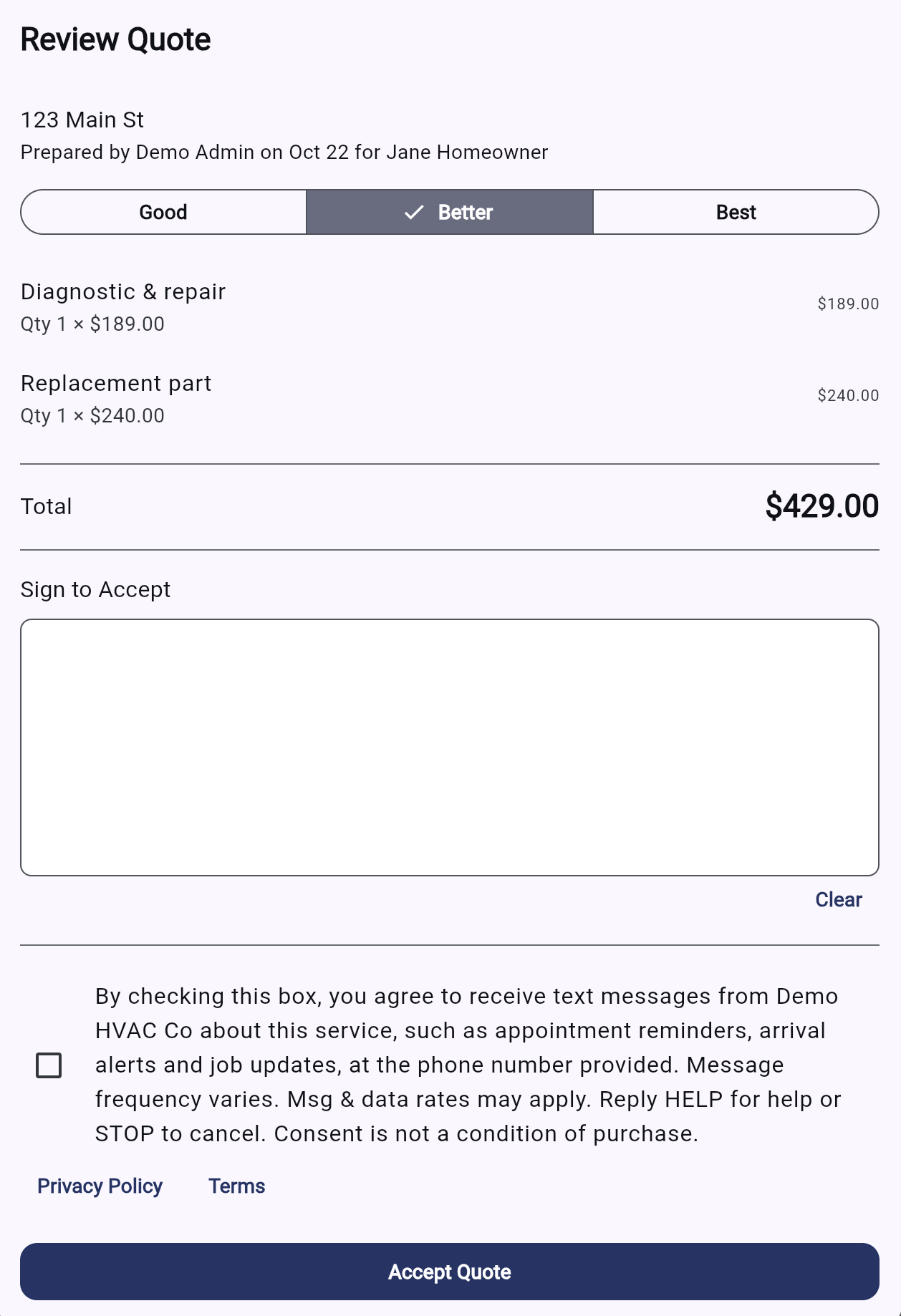
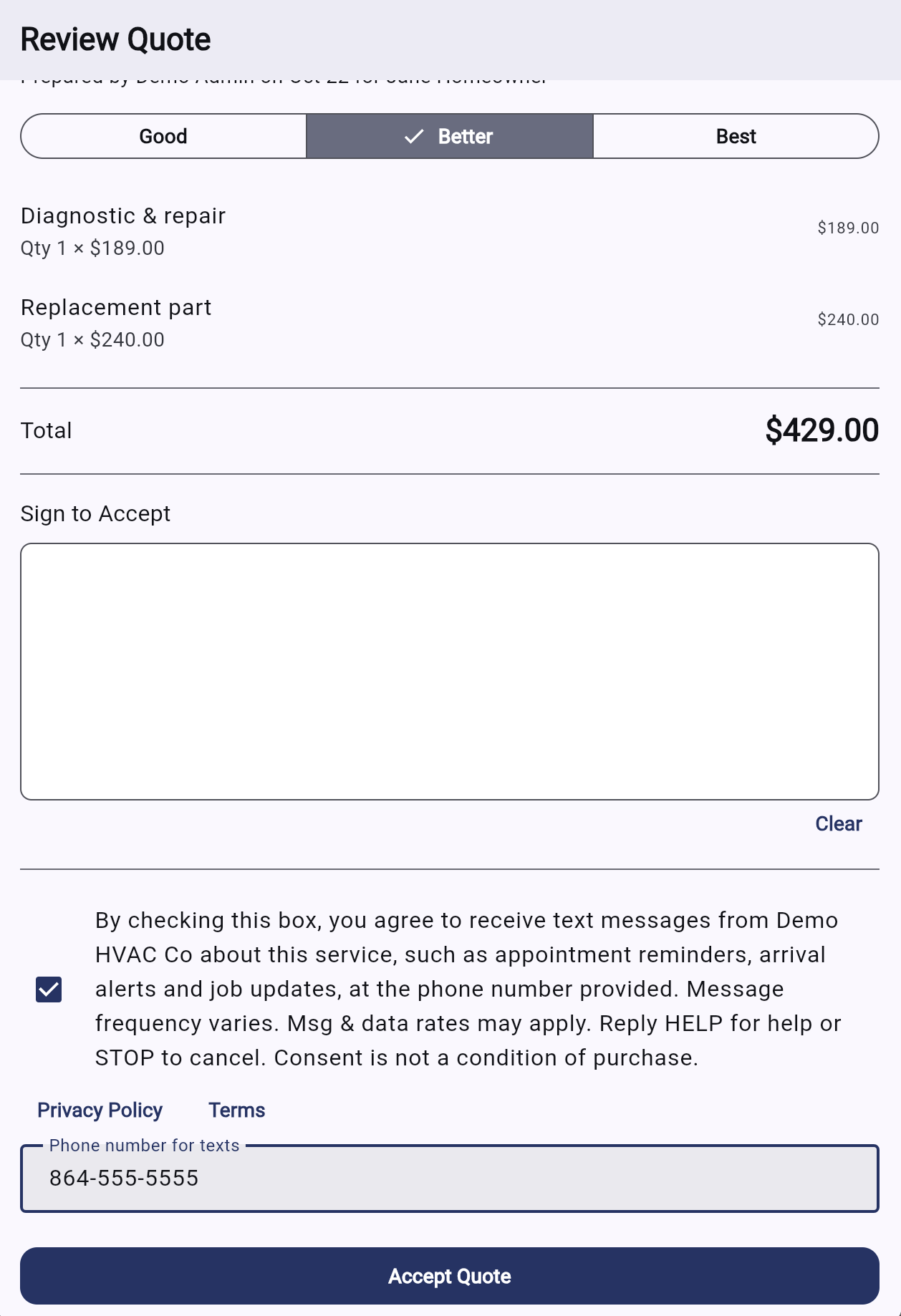
The business sends the customer a private link to review and accept a quote. Below the signature, the acceptance page shows this optional checkbox. It is never checked in advance, and accepting the quote doesn't require it. Checking it reveals a field for the phone number to text, and texts go only to a number entered there. Quote links are private to each customer, so screenshots of the real page are below, followed by a working copy of the form.
2. In person or by phone
When a customer agrees in conversation, the technician or office staff reads this script aloud and records the customer's answer in the AeroFSM app. The app stores the date, time, staff member and the exact wording read. This is the script staff read:
"Demo HVAC Co will text you appointment reminders and arrival and job updates at this number. Message frequency varies, and msg & data rates may apply. You can reply STOP anytime to opt out or HELP for help. Is that okay?"
3. Opting out and getting help
- Reply STOP to any message to stop receiving texts.
- Reply START to resume after opting out.
- Reply HELP to get the business's contact number. Message frequency varies, and message and data rates may apply.
See our Privacy Policy and Terms of Service.